

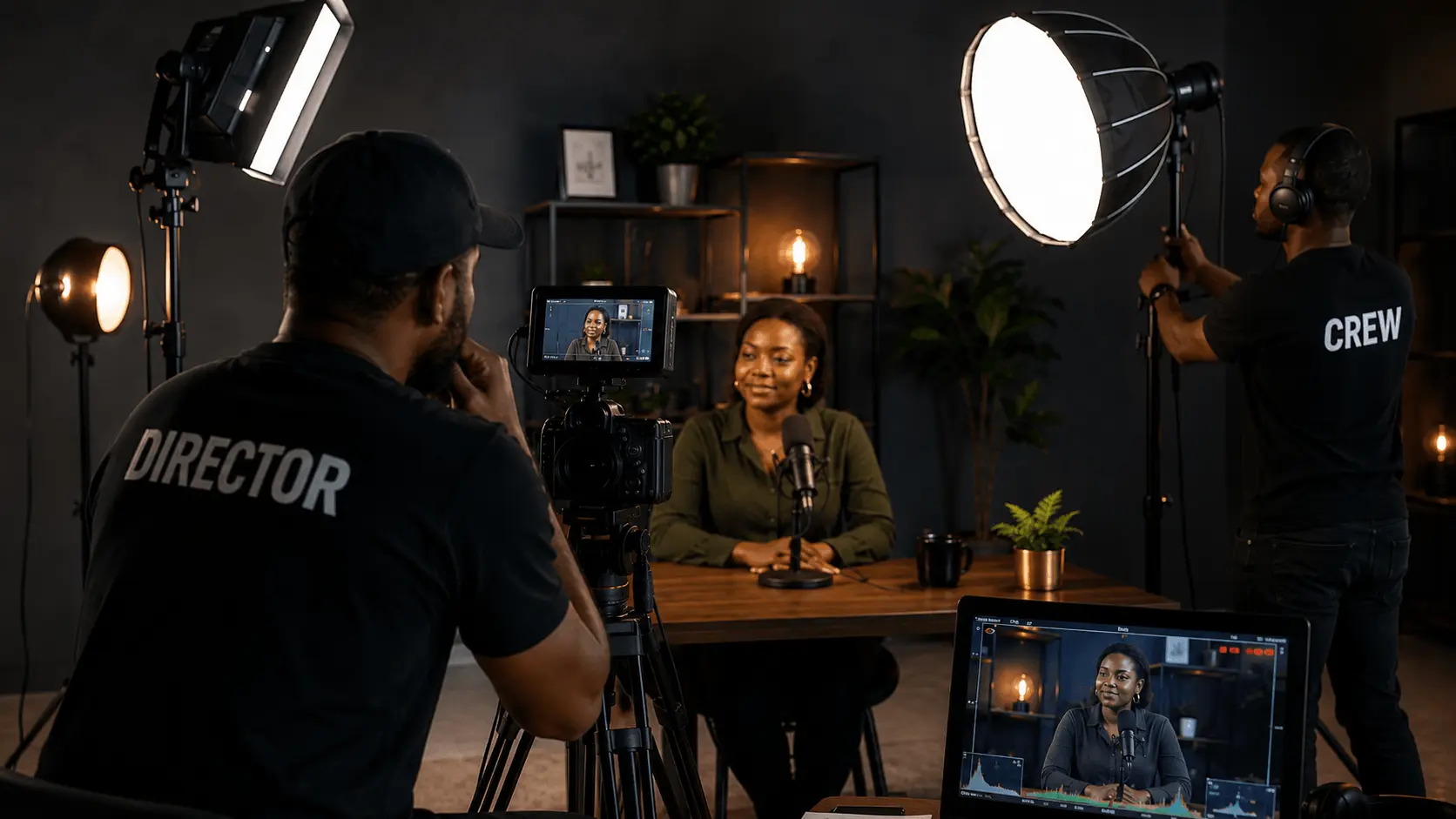
Good cameras help, but good lighting often makes the bigger difference. These lighting tips that make your videos look professional can help businesses create cleaner interviews, sharper social content, stronger documentaries and more polished corporate videos. Whether you film in an office in Kampala, on location elsewhere in Uganda or across East Africa, learning how to control light can immediately improve how your content looks.
You do not always need a large lighting kit either. In many situations, careful positioning, natural light and a few simple adjustments can transform an ordinary shot.
Lighting Tips That Make Your Videos Look Professional
Lighting does more than make a subject visible. It influences mood, directs attention and affects how viewers perceive the quality of a production.
Adobe recommends soft lighting for video because it reduces harsh shadows, and it identifies natural sunlight and three-point lighting as useful approaches.
For businesses investing in professional video production, lighting should support the message rather than distract from it.
Start With the Light You Already Have
Before adding lights, look at the natural light in the location.
A large window can provide a soft and flattering source for interviews, testimonials, podcasts and social videos. Position the person near the window and turn them slightly toward it rather than placing the window directly behind them.
Canon also recommends positioning subjects near large windows or skylights when you want to take advantage of available light.
If sunlight falls directly onto the person’s face, use a sheer curtain or move the subject farther from the window. This softens the light and reduces strong shadows.
Avoid Fighting Direct Midday Sun
Uganda and much of East Africa receive strong daylight, which can create difficult outdoor conditions during the middle of the day.
Direct overhead sunlight can create deep shadows under the eyes, nose and chin. When possible, move the subject into open shade, film earlier in the morning or wait until later in the afternoon.
If the schedule gives you no choice, use a reflector or diffused light to soften the contrast.
Place Your Main Light at an Angle
One of the easiest ways to improve a talking-head video involves moving the light away from the camera.
Instead of pointing a light straight at the person’s face, place it slightly to one side and above eye level. This creates shape and depth.
Adobe notes that positioning light away from the camera angle can give the subject more dimension while avoiding harsh shadows.
This technique works particularly well for executive interviews, customer testimonials, podcasts and everything corporate video production.
Watch the Shadow Side of the Face
After placing your main light, check the darker side of the subject’s face.
You do not always need to remove every shadow. Some shadow gives the face depth. However, if the contrast looks too strong, add a softer light or use a white reflector to bounce some light back onto the face.
A simple white foam board can work when a professional reflector is unavailable.
Learn the Three-Point Lighting Setup
Many productions use three-point lighting because it gives the team control over the subject and background.
The key light provides the main illumination. The fill light softens shadows created by the key light. The back light separates the subject from the background.
You do not need three expensive lights to use this idea. A window can act as the key light. A reflector can act as the fill. A small LED can provide separation from behind.
This setup works well for commercial videos, interviews, branded content and studio recordings.
Keep Your Color Temperature Consistent
A common lighting problem happens when several different light sources illuminate one scene.
For example, daylight may enter through a window while warm ceiling bulbs light the same room. One side of the subject may look blue while the other looks orange.
Adobe recommends matching light sources to the same colour temperature where possible because mixed lighting makes white balance harder to control.
Turn off unnecessary room lights when they clash with your main source. You can also close curtains and control the scene entirely with video lights.
Set White Balance Before Recording
Do not rely on the camera to correct everything automatically.
Set your white balance based on the main source of light. Then check skin tones on your monitor.
Correct white balance gives people natural-looking skin and makes brand colours more reliable. This matters during TV commercial production, product videos and any project where colour accuracy affects the final image.
Separate the Subject From the Background
A professional-looking image usually needs visual depth.
Do not push the person directly against a wall. Instead, create some distance between the subject and the background.
Then use light to separate the two areas.
You can place a subtle light behind the subject or illuminate part of the background. Even a practical lamp in the room can add depth when it fits naturally into the scene.
For documentary production, practical lights can help preserve the real feeling of a location while still improving the image.
Pay Attention to the Background
Good lighting cannot rescue a distracting background.
Before filming, remove unnecessary objects, cables, clutter and anything that competes with the subject.
Adobe also recommends simple, uncluttered backgrounds so the viewer can focus on the main subject.
However, do not remove everything. A relevant plant, bookshelf, branded item or practical light can make an office or studio feel natural.
The goal is control, not emptiness.
Light Different Content Differently
One lighting setup should not serve every project.
A corporate interview may need clean, soft and even lighting. A documentary may need a more natural approach. A TV commercial may use carefully shaped light to create a particular mood. A podcast needs consistent lighting across several camera angles.
Likewise, social media content creation may require a simpler setup that lets the team film several short pieces quickly.
Good creative content production starts by asking what the audience should feel before deciding how the scene should look.
Do Not Forget About Skin Tones
When filming people, expose for their faces rather than for the room.
African skin tones can look rich and detailed when you place and expose the light carefully. Avoid pushing exposure so high that highlights lose detail. At the same time, make sure enough light reaches the face so features remain clear.
Check the image on a reliable monitor instead of judging exposure only from the camera’s small screen.
Also test the lighting before the interview or presentation begins. A few minutes of adjustment can save significant correction work later.
Test Before the Main Shoot
Do not wait until everyone arrives to discover that the room looks different on camera.
Visit the location early where possible. Check the direction of daylight, existing bulbs, reflective surfaces, available power and background options.
Adobe’s pre-production guidance also recommends checking location lighting in advance and watching for issues such as flicker from built-in lights.
Record a short test clip and review it on a larger screen.
This simple habit helps teams catch lighting problems before production begins.
Better Lighting Makes Better Business Content
The most useful lighting tips that make your videos look professional do not involve buying the most expensive equipment. They involve controlling the light you already have, positioning your subject carefully, keeping colour consistent and choosing a setup that supports the story.
For businesses in Uganda and East Africa, better lighting can improve everything from executive interviews and product videos to documentaries, podcasts, TV commercials and social media campaigns.
Moving Ads Uganda works with brands, businesses, institutions and organisations to plan and produce professional visual content. Our work covers corporate videos, commercials, documentaries, branded content and other forms of visual storytelling.
If you want to apply these lighting tips that make your videos look professional to your next campaign, interview, documentary or brand video, talk to Moving Ads Uganda. We can help you plan the production, shape the visual direction and create content that represents your business professionally.
